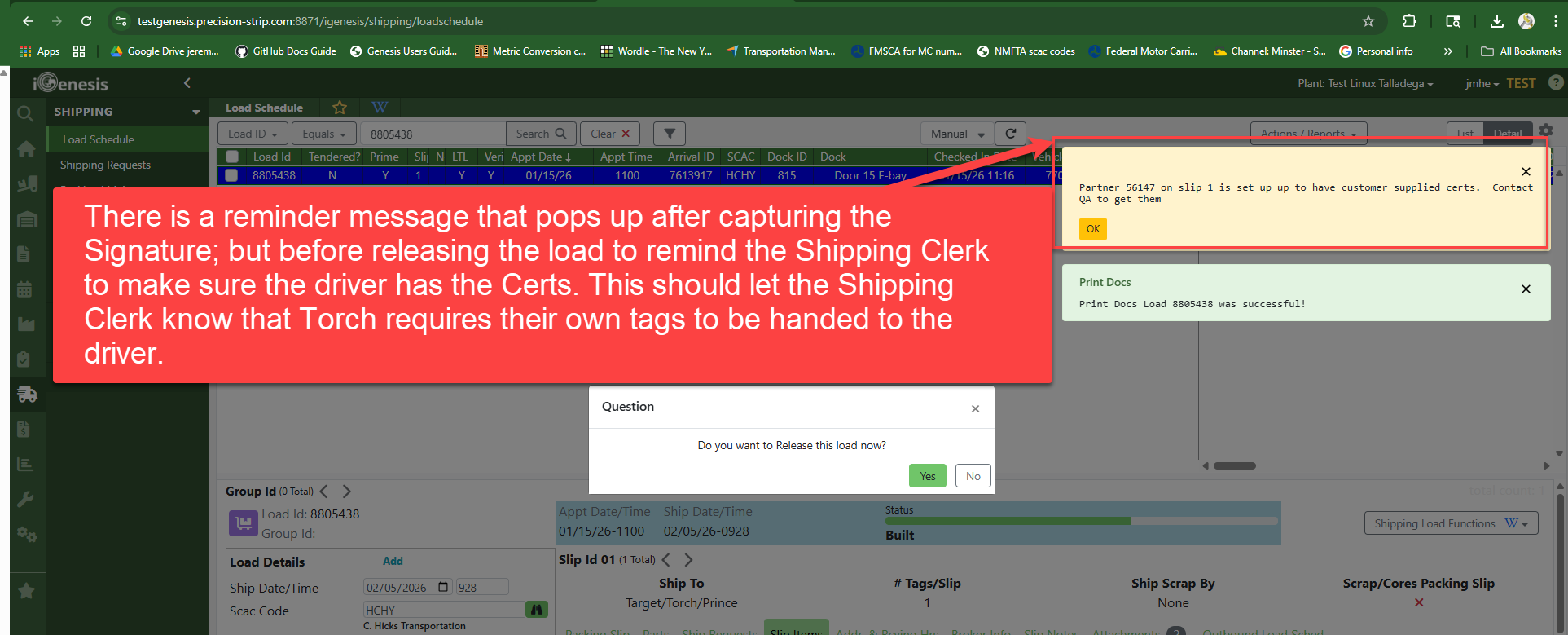
In a situation where a partner has paperwork that is attached to the load or want to ensure the load is checked out by a PSI Shipping Clerk from the Load Schedule to ensure the requirements for that partner are met, the CSR can change a Partner Setting to refuse self checkout on the kiosk.
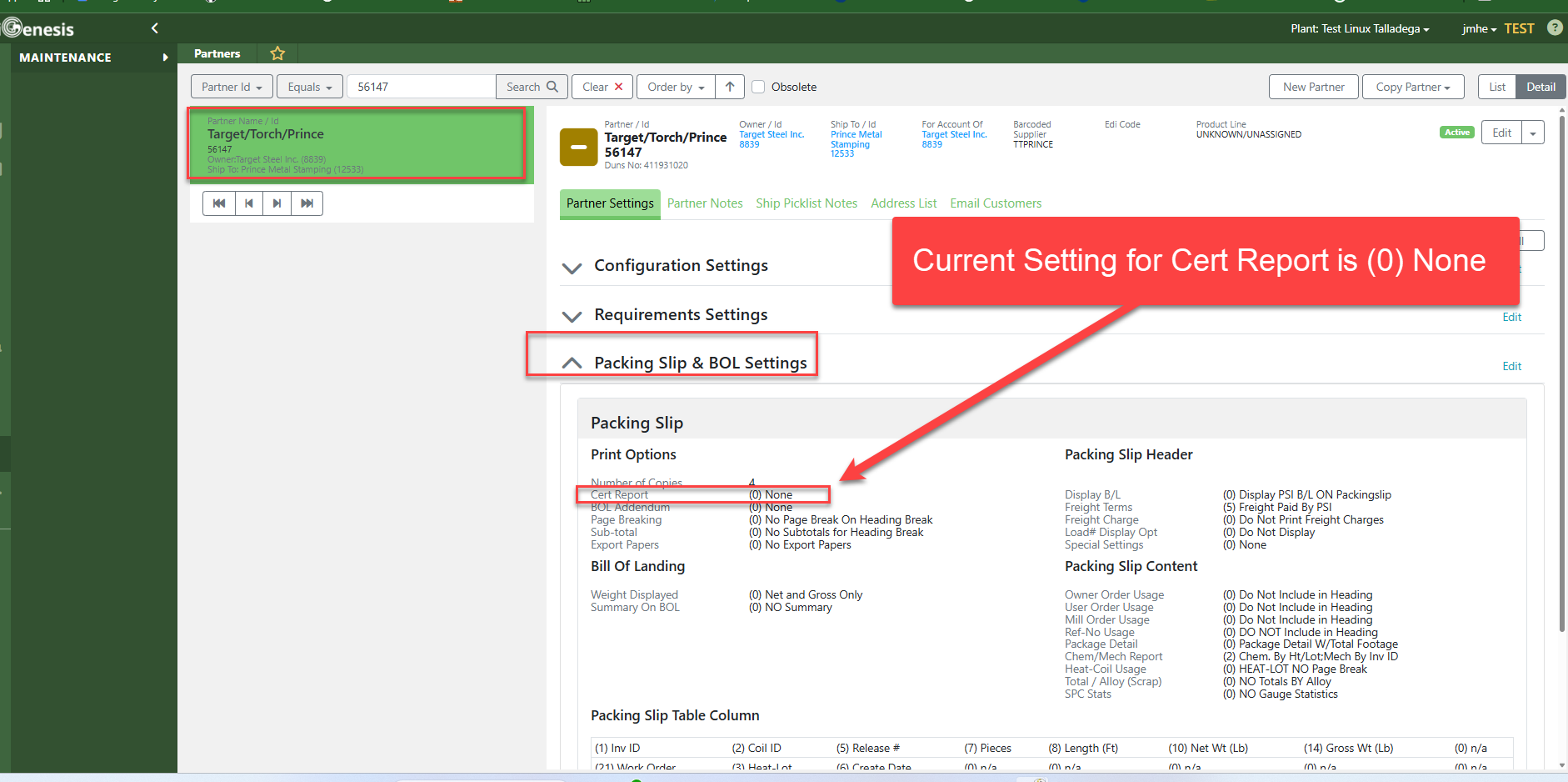
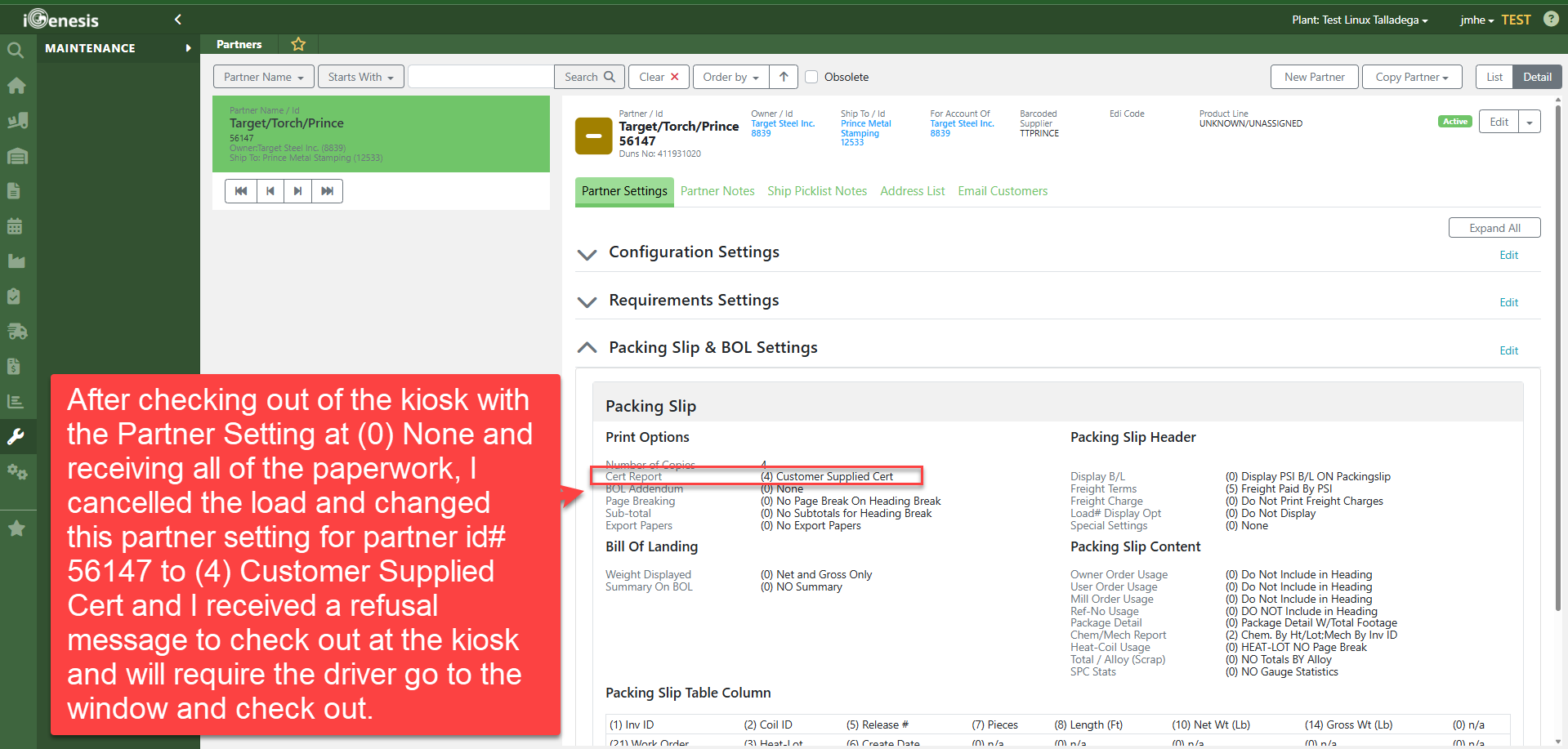
Partner Setting under Packing Slip & BOL Settings called Cert Report that you can change the setting to stop Kiosk Checkout.
You can change this partner setting to basically force the driver to the Shipping Window to check out.
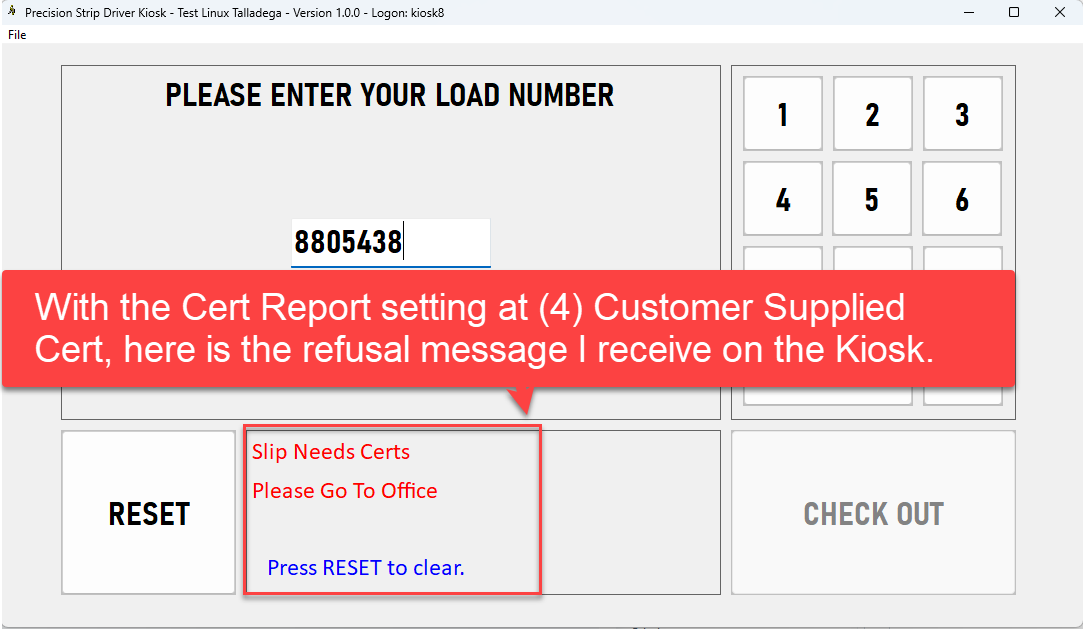
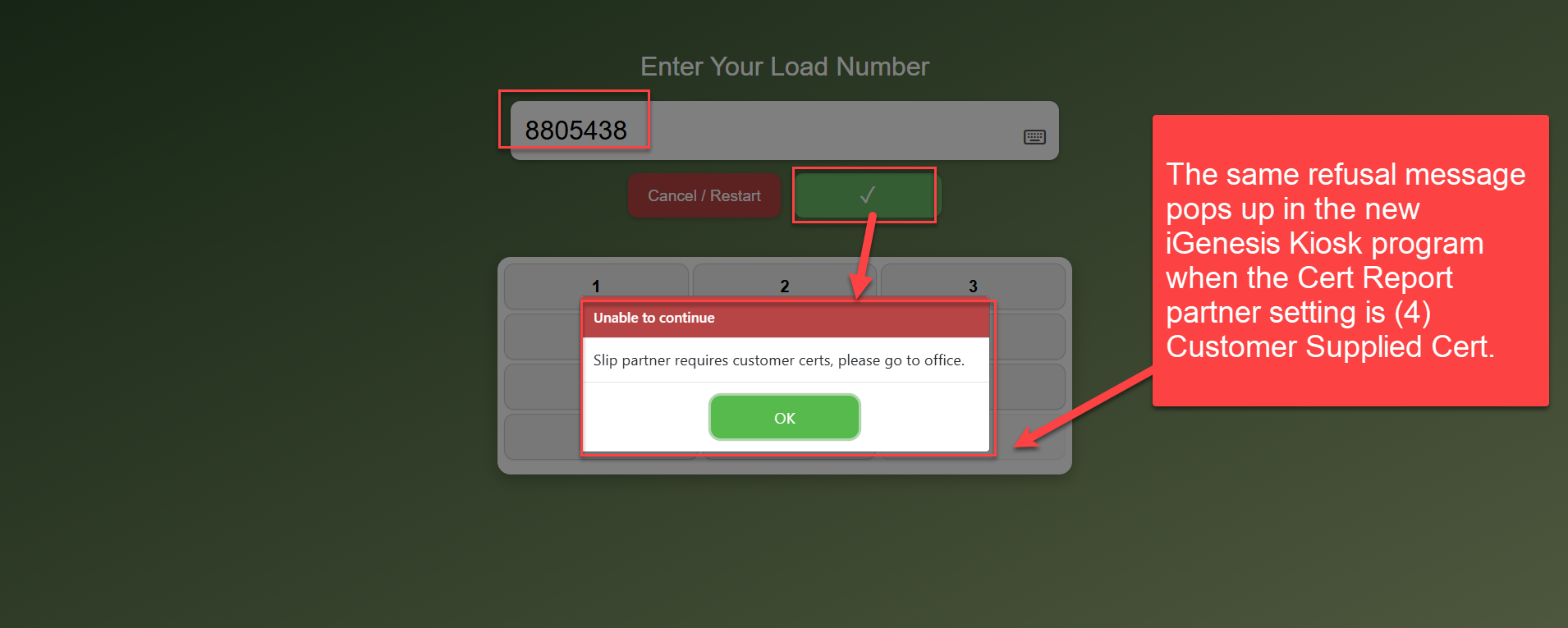
If you change the Cert Report setting to (4) Customer Supplied Cert, it will not allow Kiosk Check Out and relays a refusal message to the driver after entering the Load Number saying: "Slip Needs Certs Please Go To Office"
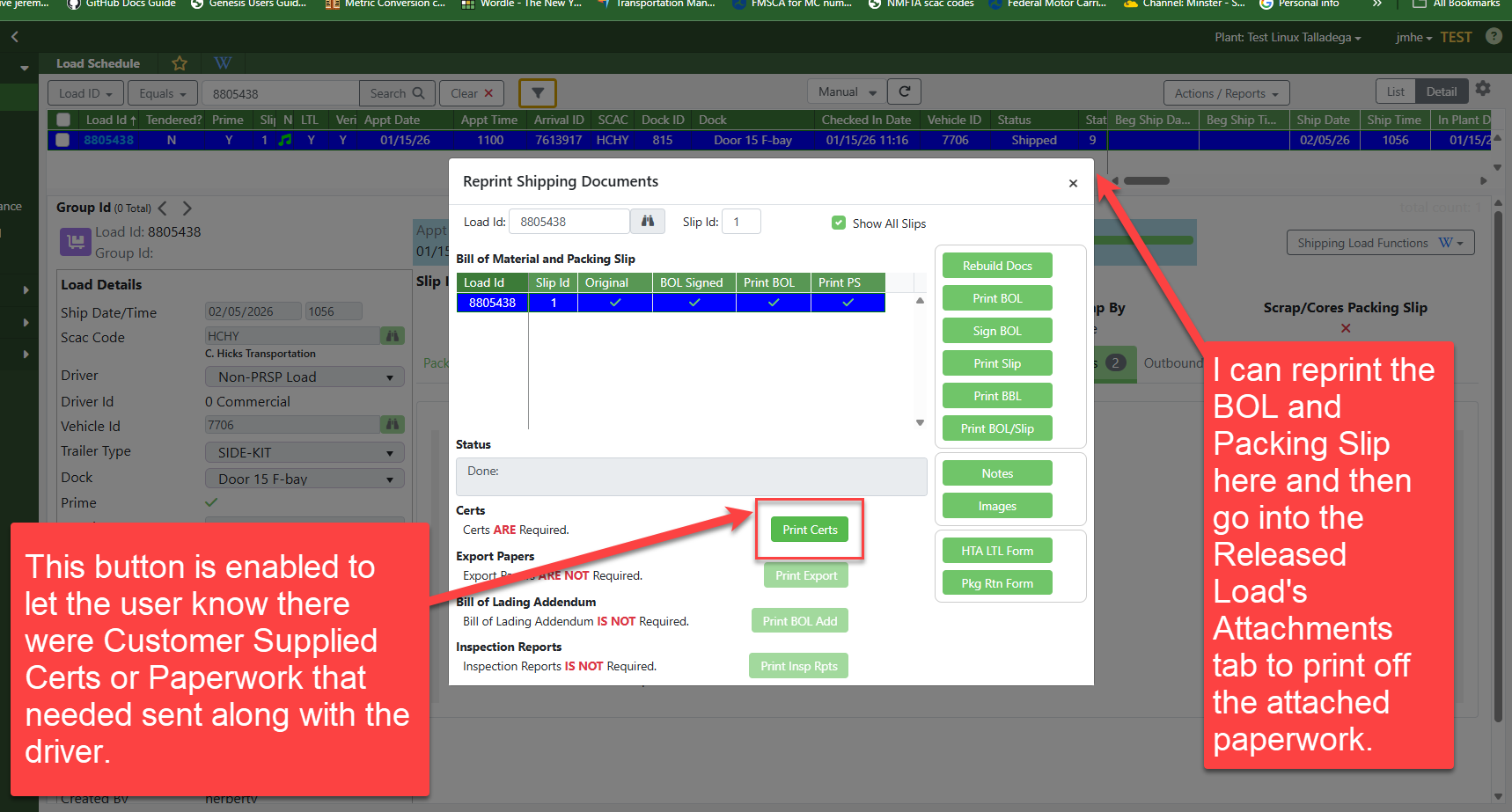
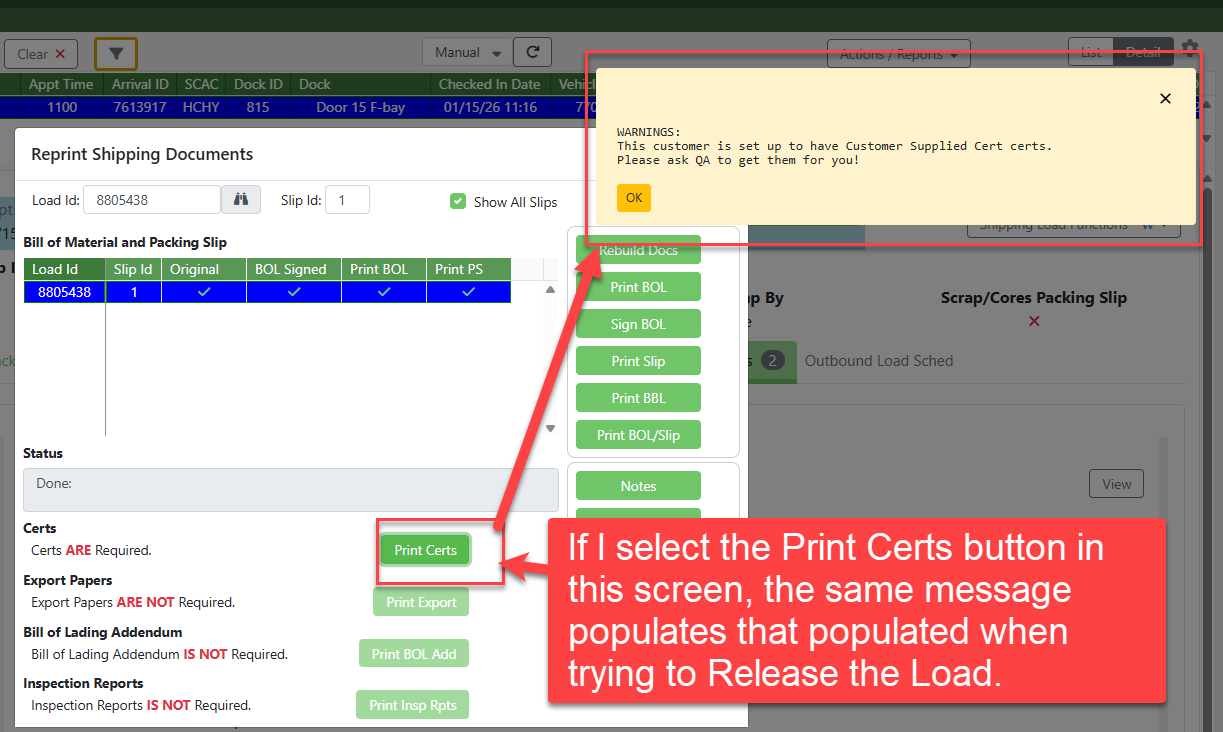
This Partner setting was added for Partners that the customer provided extra paperwork that did not go through EDI and we wanted to ensure the paperwork was given to the driver or for other reasons where we would want a PSI Associate to check the load out instead of self checkout on the kiosk.
Example:
Was this article helpful?
That’s Great!
Thank you for your feedback
Sorry! We couldn't be helpful
Thank you for your feedback
Feedback sent
We appreciate your effort and will try to fix the article