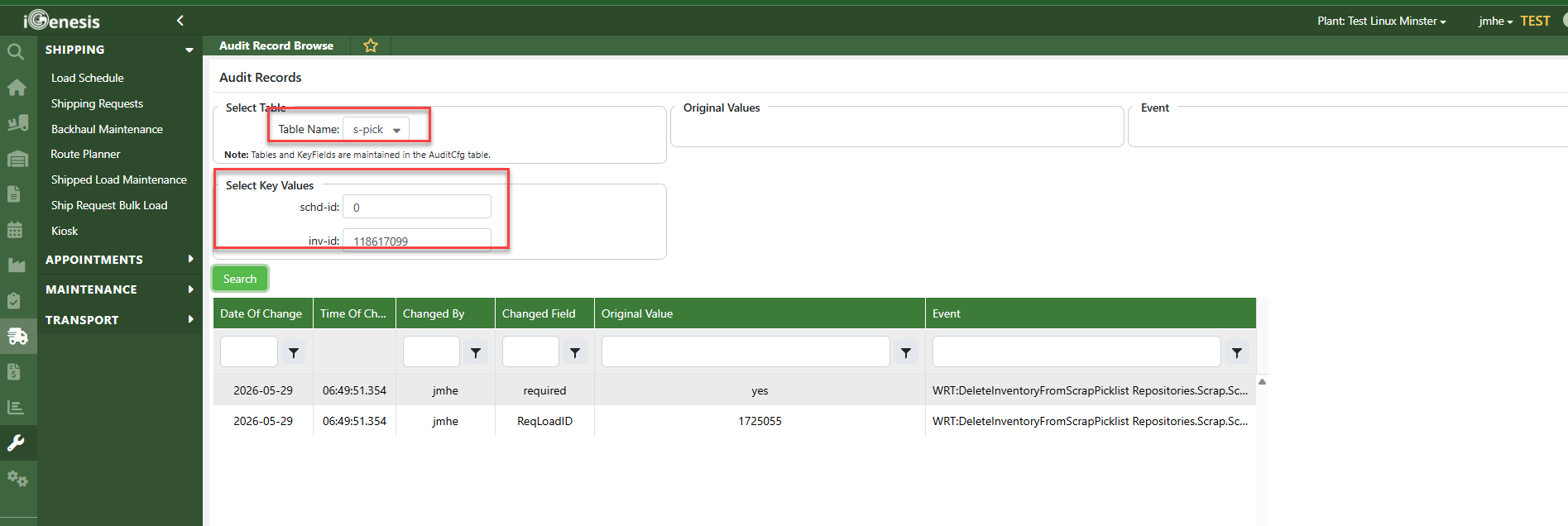
In order to view audit records of associate that removed a required item from the Required Items tab, go to Audit Records Browse screen -> Table Name: S-Pick Key Values: schd-id is 0 & inv-id enter the inv-id you are looking for that was removed. IT Info: This is from Github 13725 merged in June 17,2026.
Was this article helpful?
That’s Great!
Thank you for your feedback
Sorry! We couldn't be helpful
Thank you for your feedback
Feedback sent
We appreciate your effort and will try to fix the article