GENERATING A NOVELIS TESLA TAG & THE OPTION OF CHOOSING A SHIP DATE:
Rules and Guidelines to Generating a Novelis Tesla Tag and selecting a Ship Date:
As long as the pre-requirements are met, these rules will apply when generating a Novelis Tesla load.
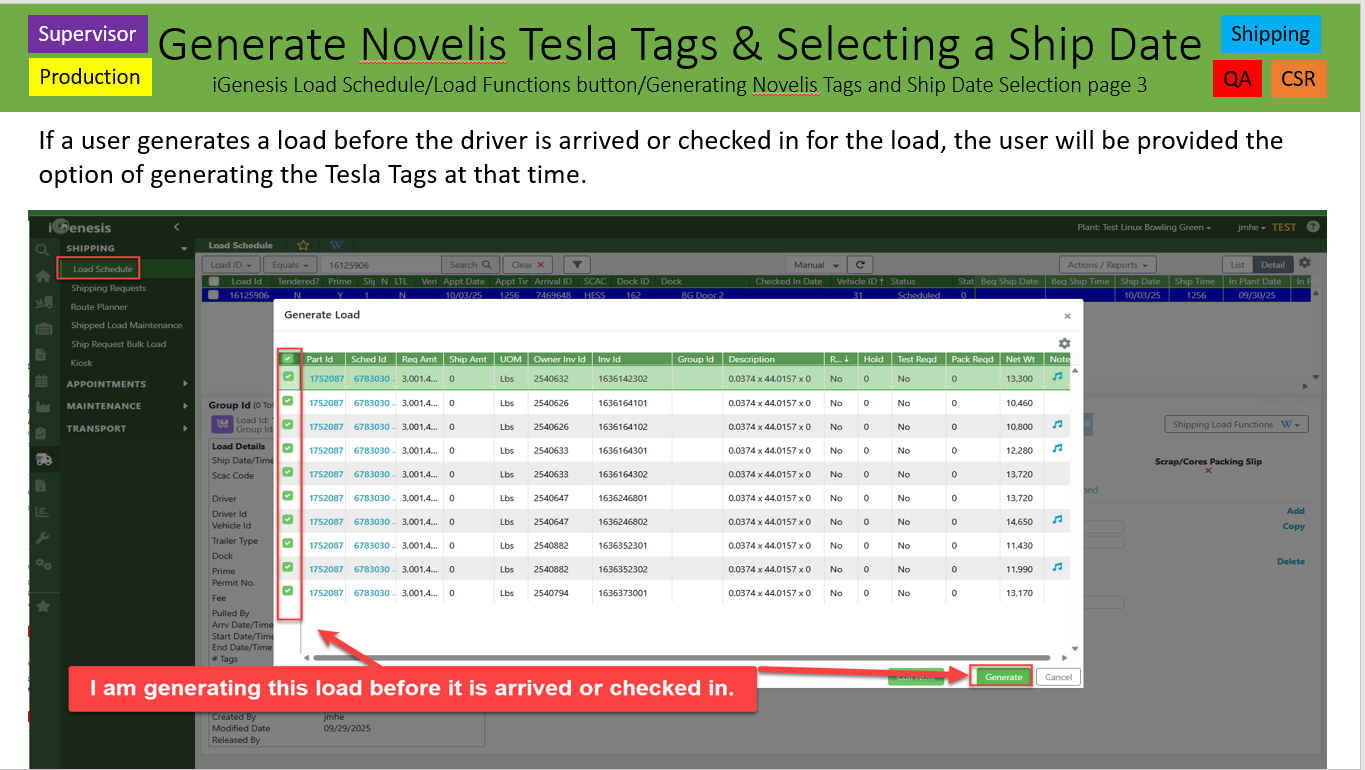
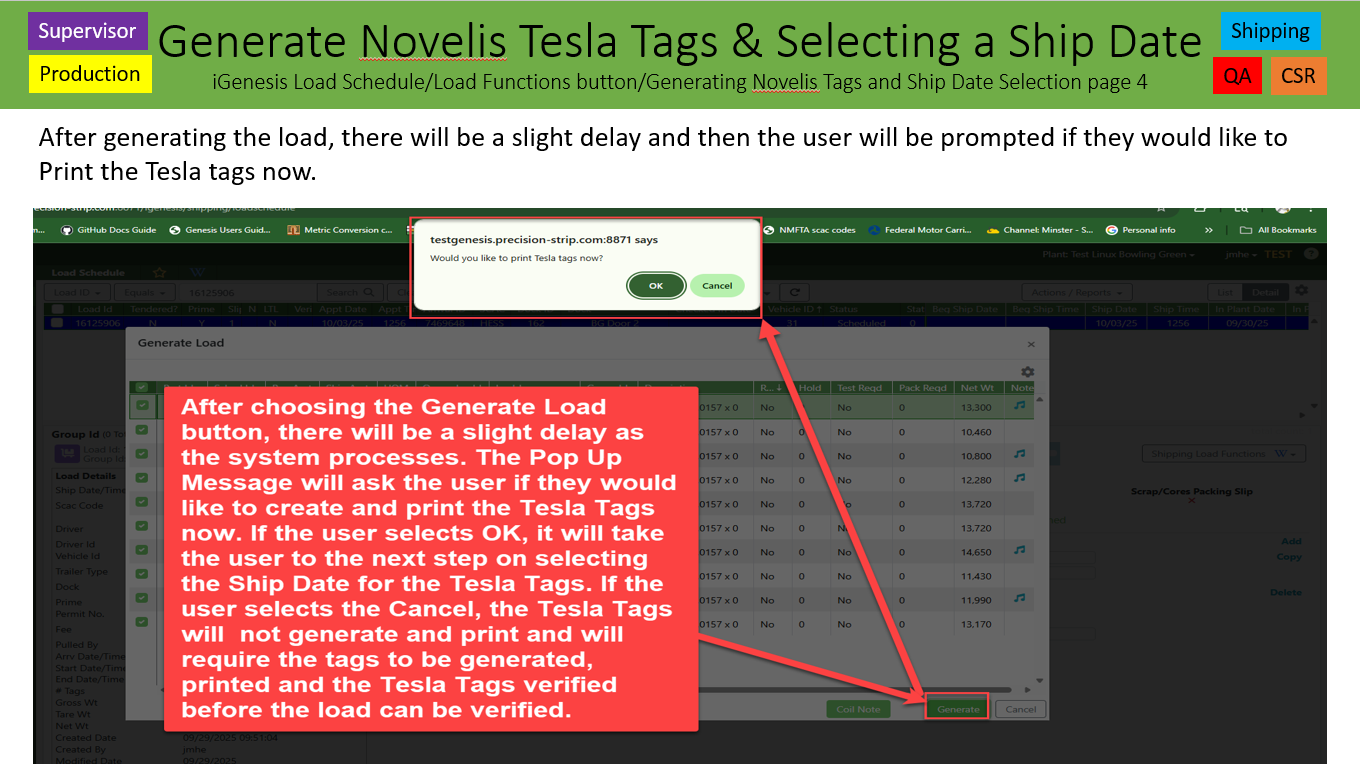
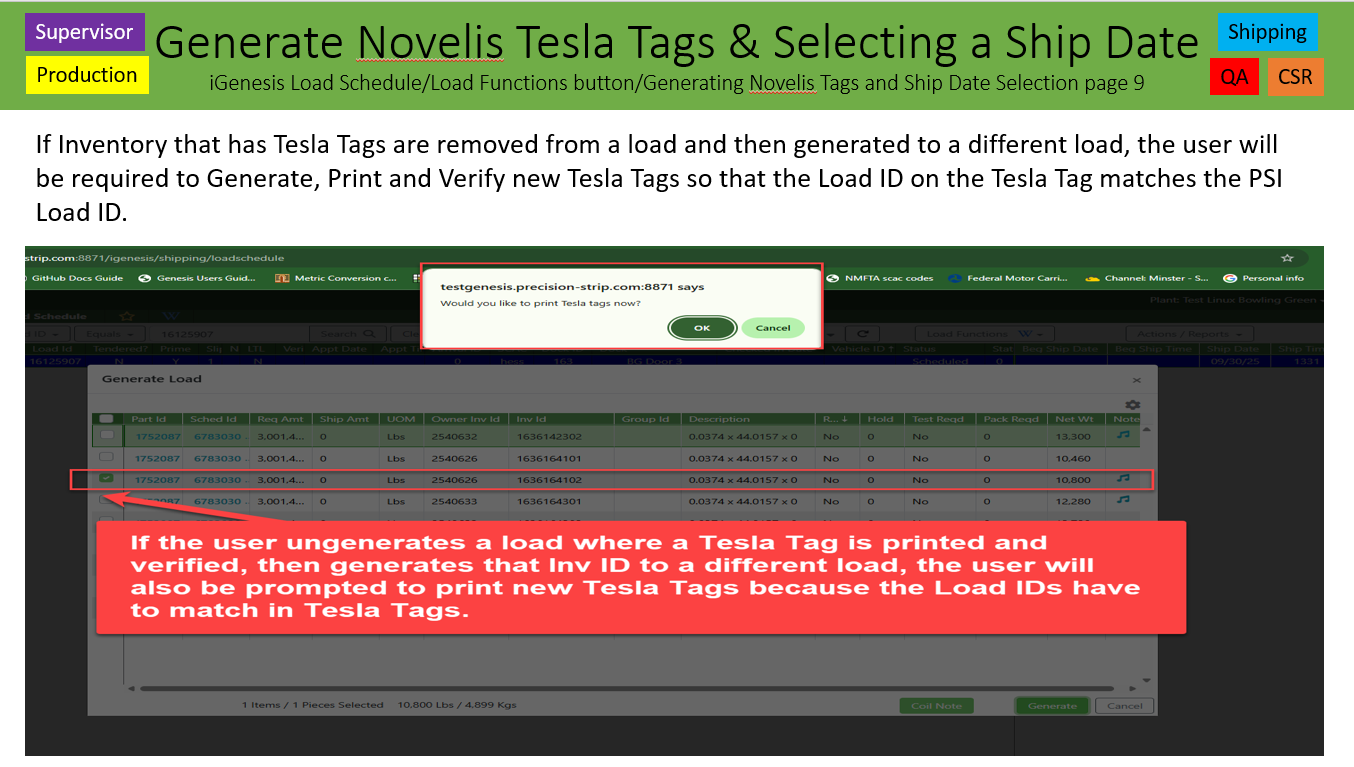
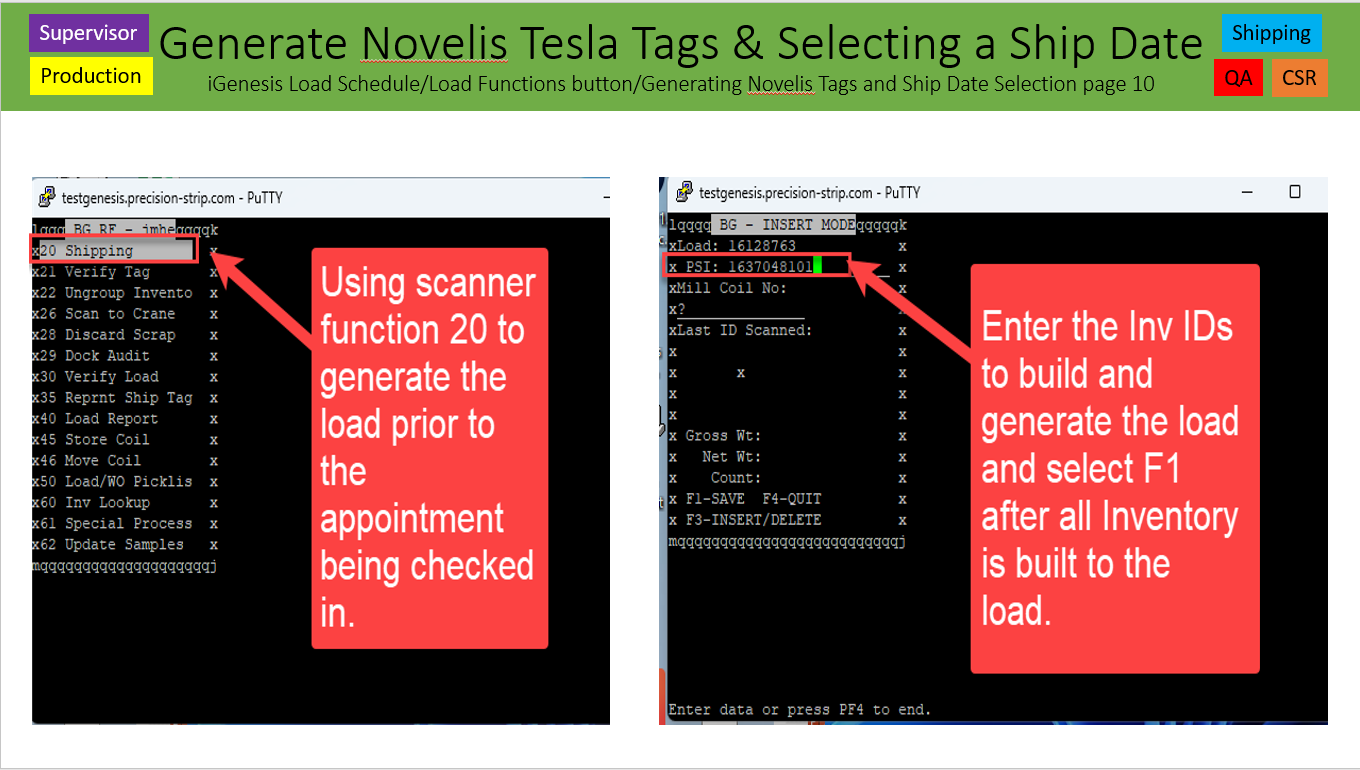
1. In the iGenesis Load Schedule or RF Scanner Function 20 Shipping, when generating a load, a pop up message will ask the user if they would like to print the Tesla Tags now. The user can select OK or Cancel.
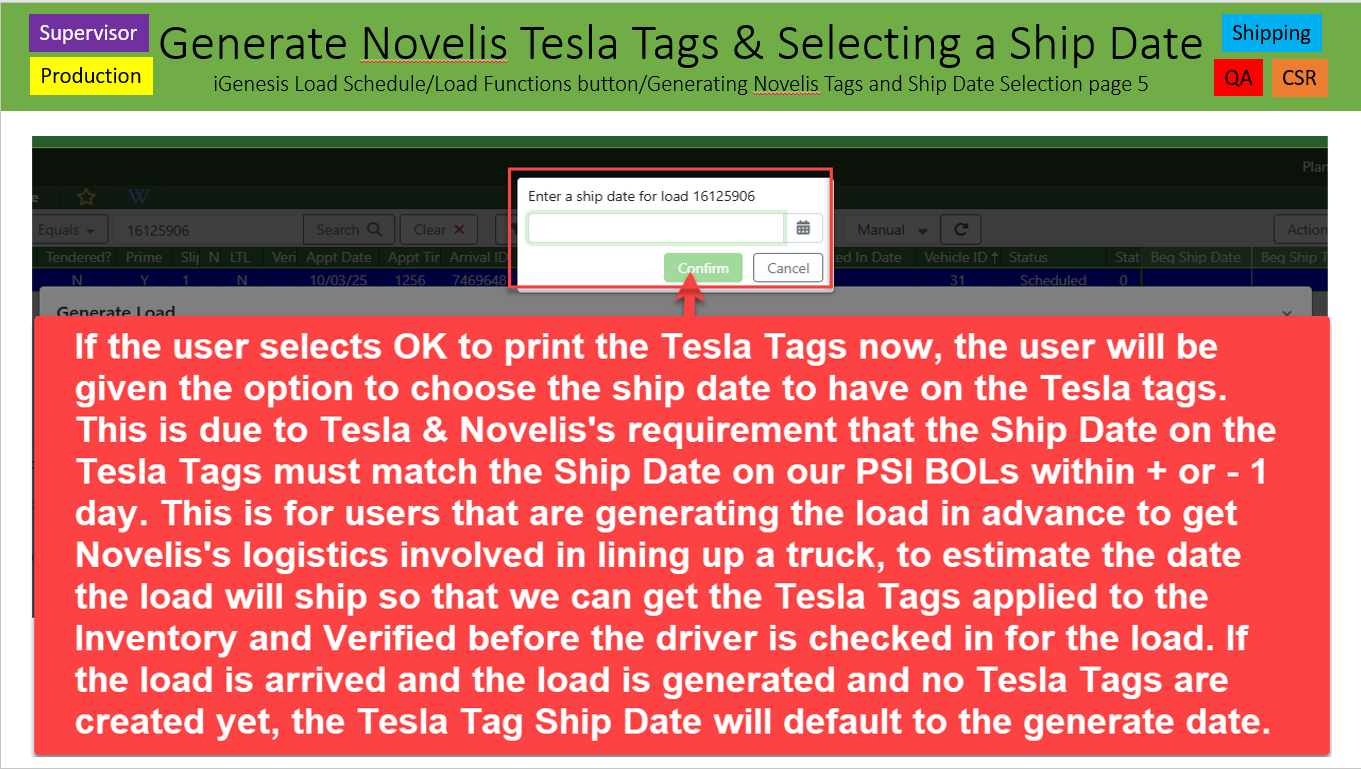
2. If the user selects OK, a message box will populate asking the user to select a Ship Date. Remember, the rules are that Novelis wants these tags to be within + or – 1 day of the actual ship date.
3. When selecting a ship date, try and select the date you think the load will ship in order to not have to un-generate the load, re-generate the load and then reprint new Tesla Tags with the correct Ship Date.
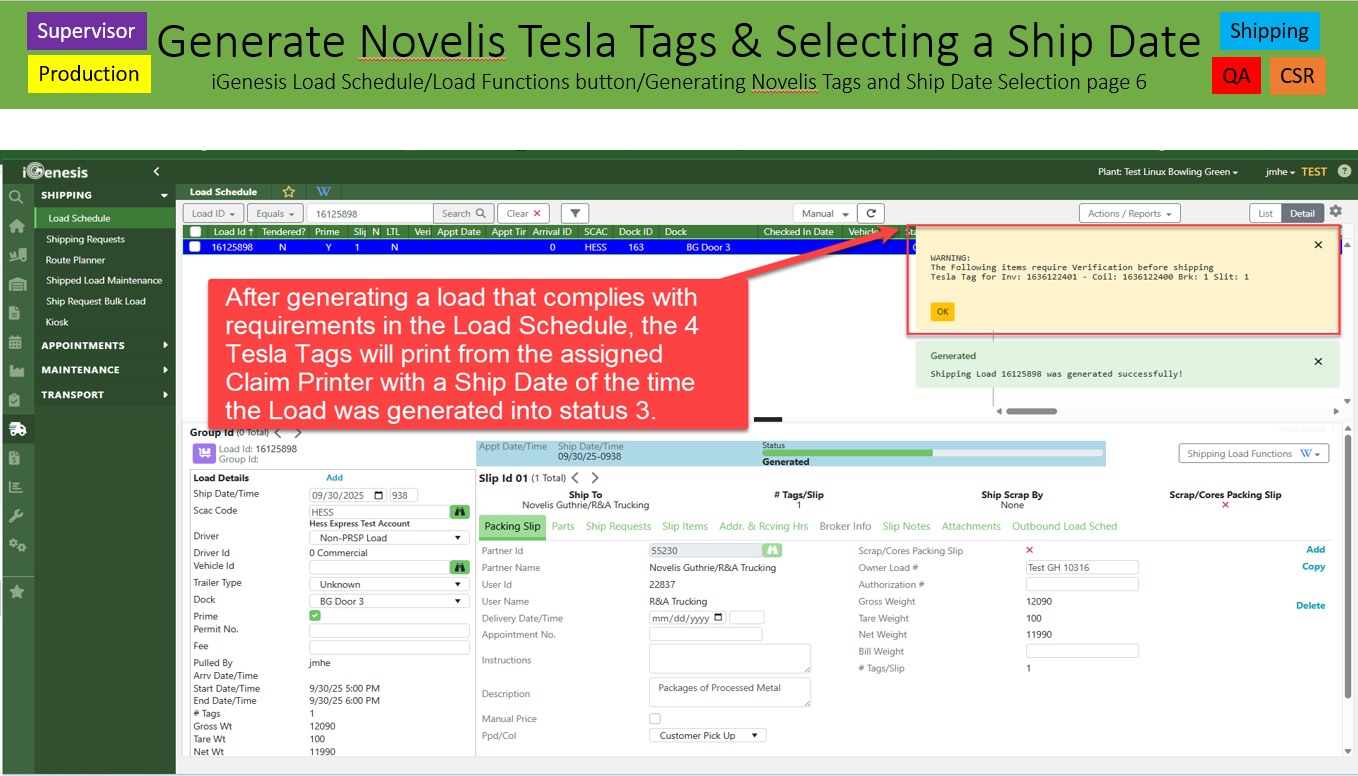
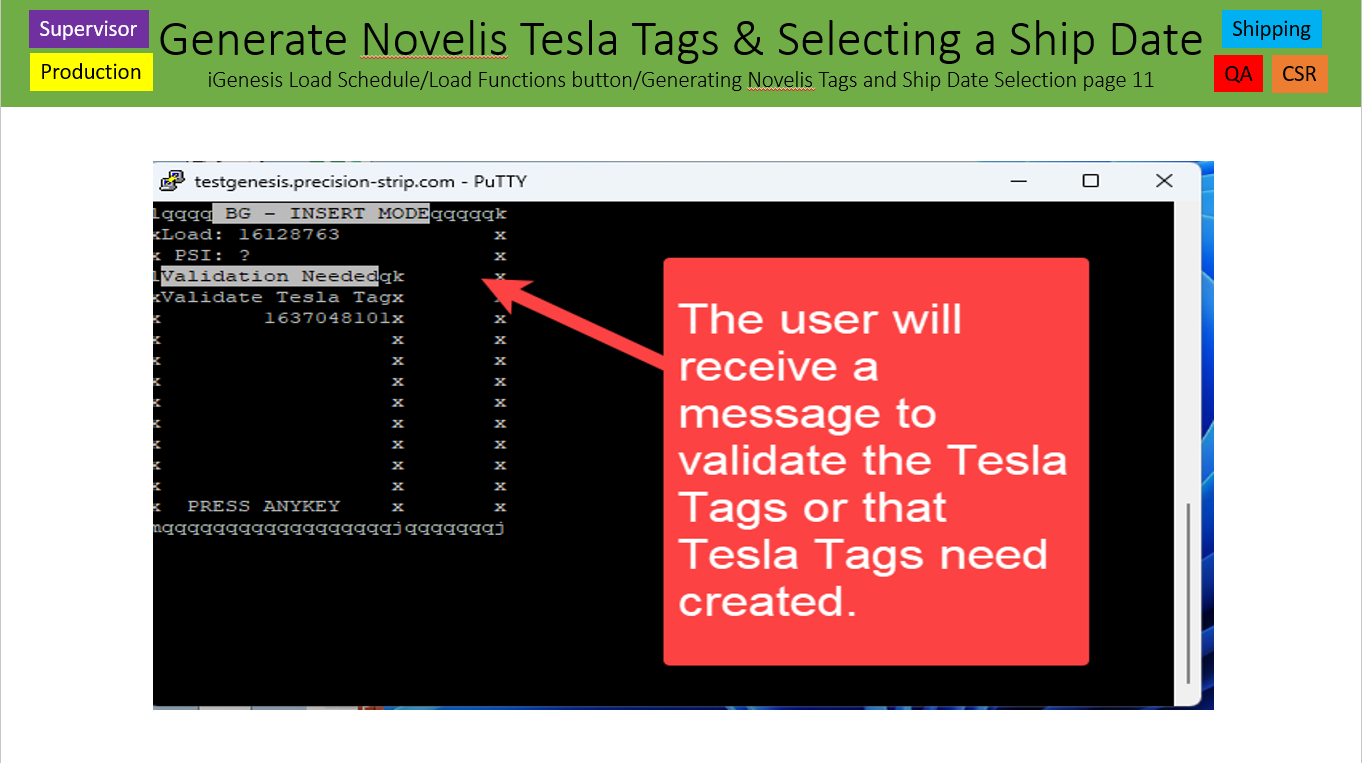
4. All Tesla Tags will require the user to verify the 4 Tesla Tags that generate. This will be performed on the RF Scanners using function 21.
5. When verifying the Tesla Tags, the user must scan 1 of the 2D Barcodes on the Precision Strip Inventory Tag and then scan the smaller 2D Barcode tag in the lower left corner of the Tesla Tag. The large 2D Barcode has different information in it that Tesla requires on their barcodes.
6. When using RF Scanner function 21, the user will be required to scan the 2D Barcode on the PSI Inventory Tag first and then scan the 4 Tesla Tags 2D barcodes in order of the tag number (1/4, 2/4, 3/4 & 4/4).
7. If the user chooses cancel to Print the Tesla tags at the time of generate, than the load can not be verified until the Tesla Tags are created and verified.
8. As an extra check, when physically loading the truck, double check the Ship Date on the Tesla Tags to ensure the Ship Date is within + or – 1 date of the actual ship date to ensure the correct Tesla tags are on.
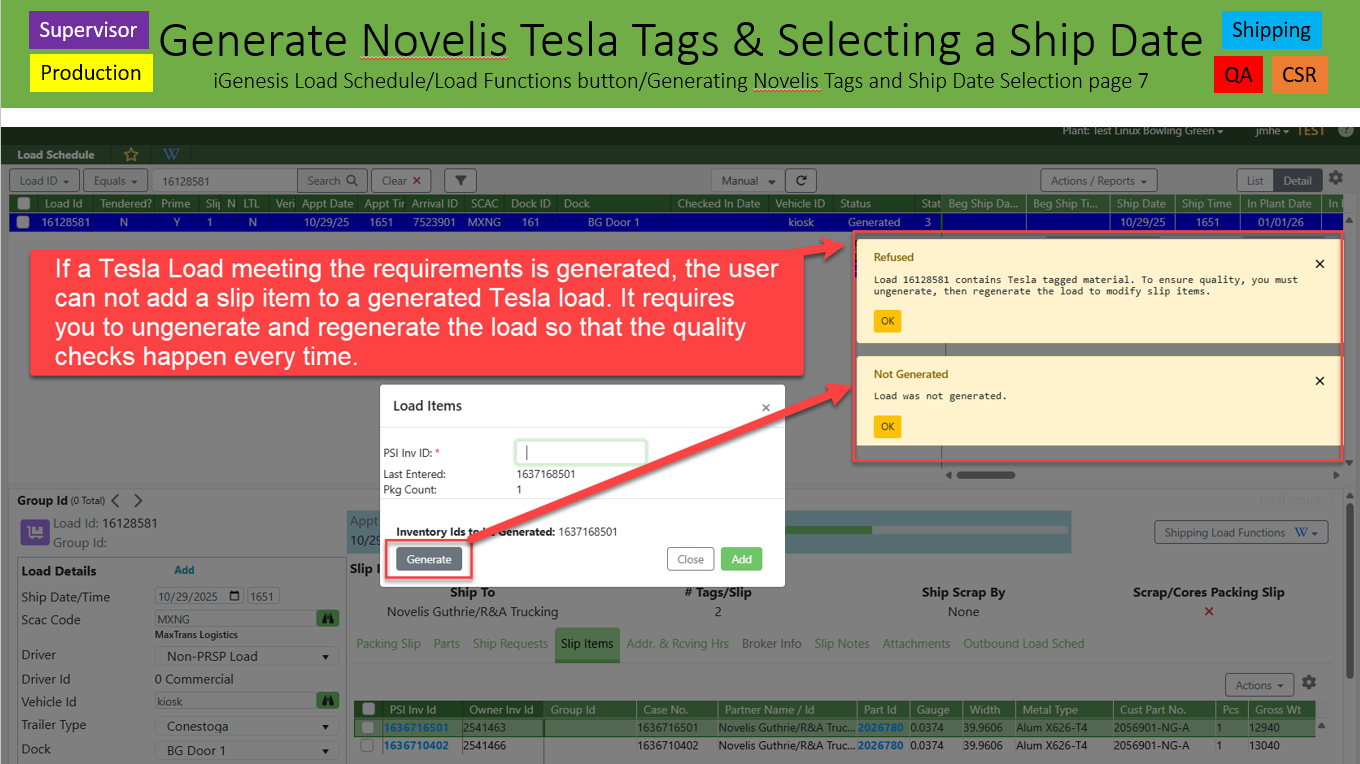
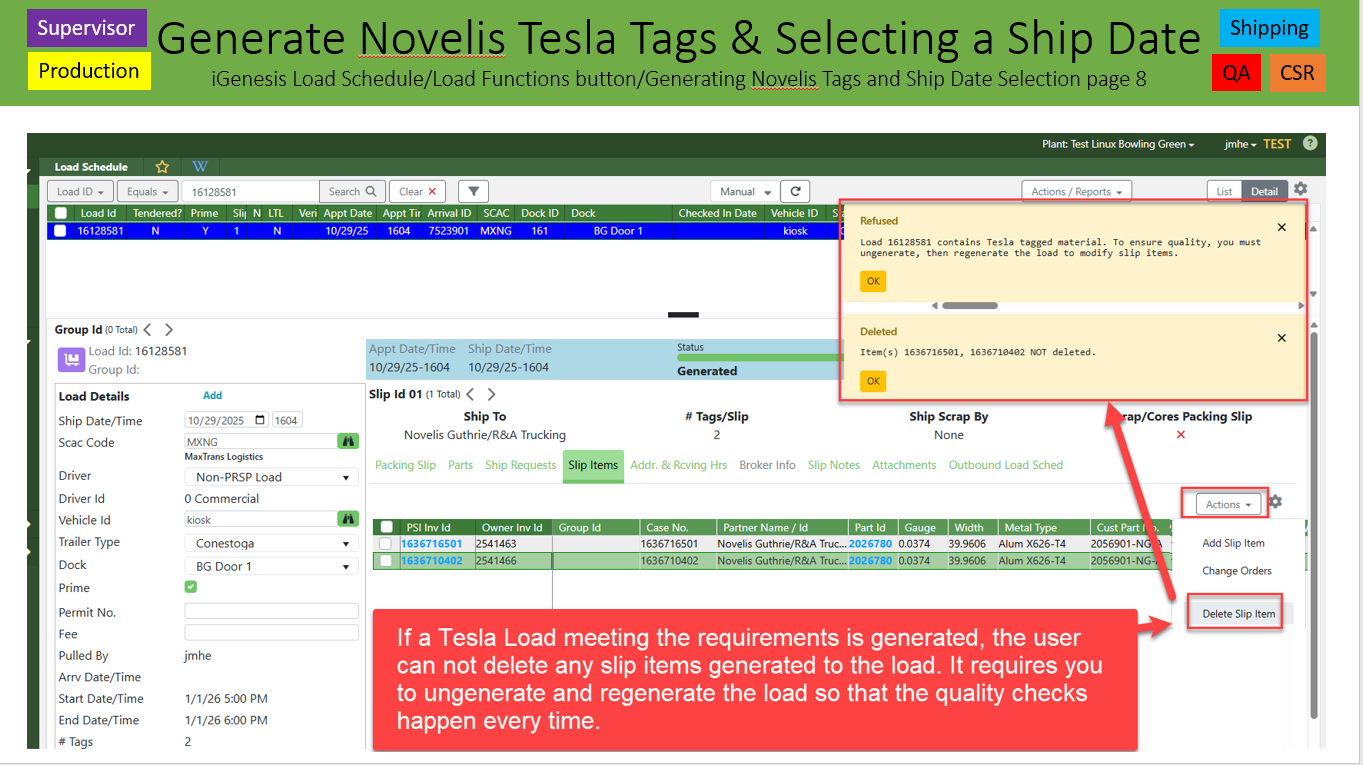
9. In order to perform the proper quality checks, in the Load Schedule Slip Items tab, the Add or Delete Slip Items actions will not allow the user to add or delete a slip item from a load. The load must be un-generated and generated again.
Githubs: 10316, 10800, 10804, 10874, 11053, 11113, 11117 & 11118 – Daniel King - Release 8.2.15 – November 12, 2025
Was this article helpful?
That’s Great!
Thank you for your feedback
Sorry! We couldn't be helpful
Thank you for your feedback
Feedback sent
We appreciate your effort and will try to fix the article