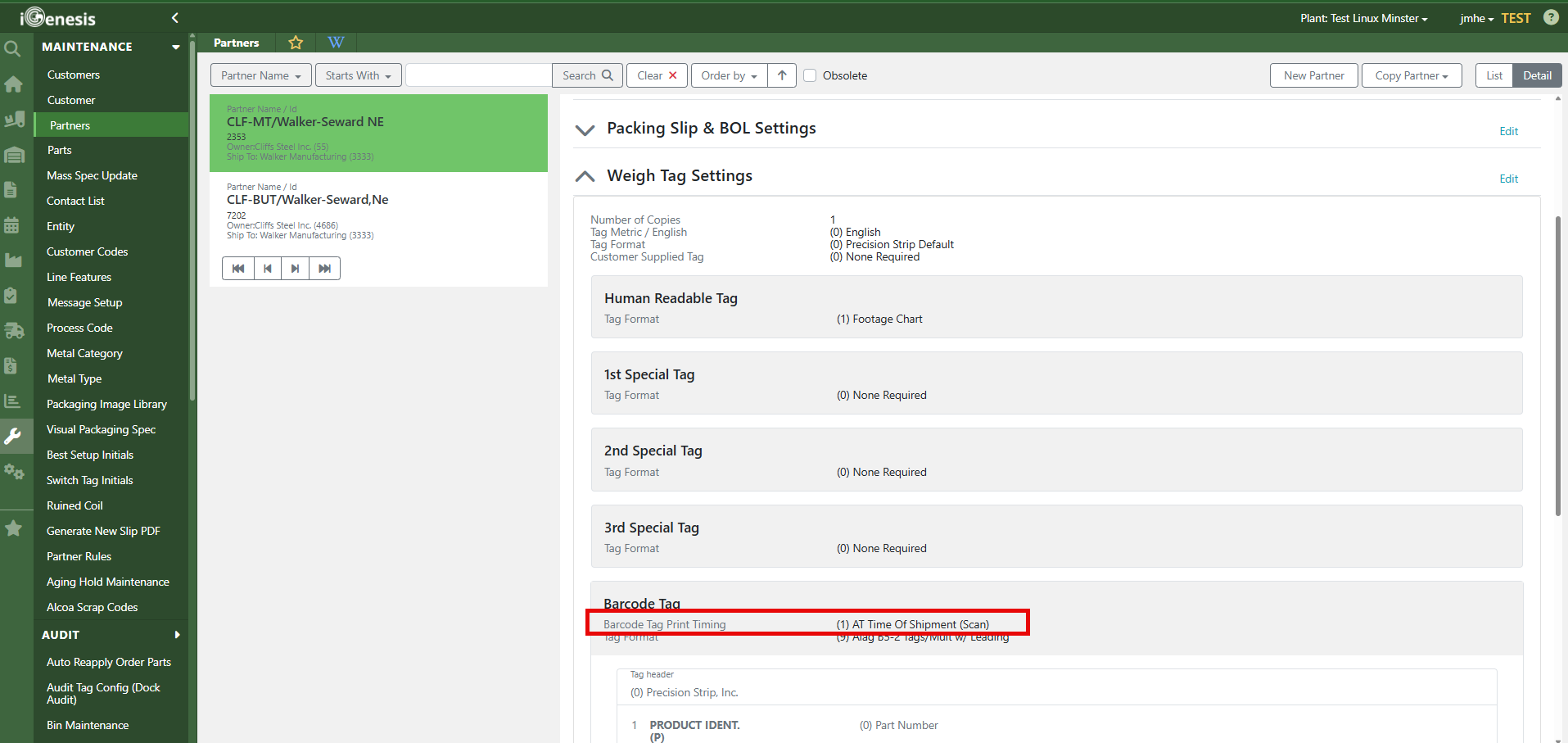
1. In Partner Maintenance screen, go down to the Weigh Tag Settings drop down.
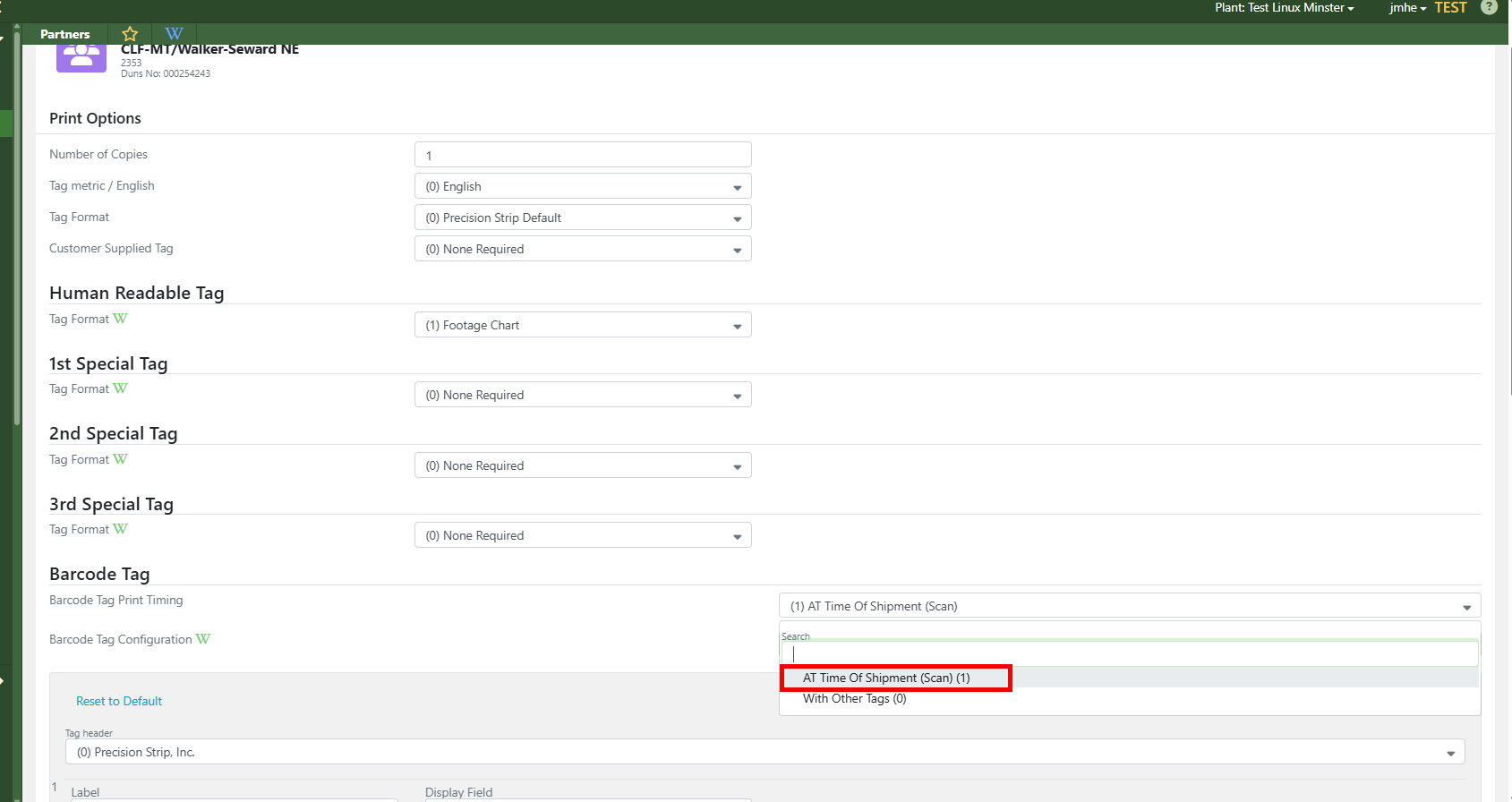
2. Select the Edit button and go to the Barcode Tag Print Timing. Most of the time, the setting is (0) With Other Tags. Select (1) At Time of Shipment (Scan)
What it does:
1. When weigh tag is originally created, it only prints the non barcode tags.
2. When the load is generated in scanner function 20 or in the Load Schedule, then the barcode tags print and marks the Inv ID to require a Switch Tag.
3. The user can not Verify the Load until Scanner function 96 Switch Tag is performed.
- Since the reprinted tag only prints the barcode tags, the user will have to Reprint The Tag in order to get the other tags as the user must scan the Barcodes from the original tag to the new Reprinted Tag to perform the Switch Tag. Since the Barcode Tag is set to print to (1) At the Time of Shipment, the Barcode Tags do not reprint during the Reprint Tags function.
4. After the switch tag function is performed, then the material handler will need to rehang the tag and make sure they hang the barcode tags with the new reprinted other tags.
5. After the Switch Tag is performed, the material handler can then verify the load and finish with the shipping process.
Issues you could have:
1. The material handler could call the CSR and have them uncheck the Switch Tag Requirement so that they can verify and ship the load.
2. The material handler could reprint the tag and perform the switch tag without ever hanging the Barcode Tags that print separately at the time of load generation.
Resolution:
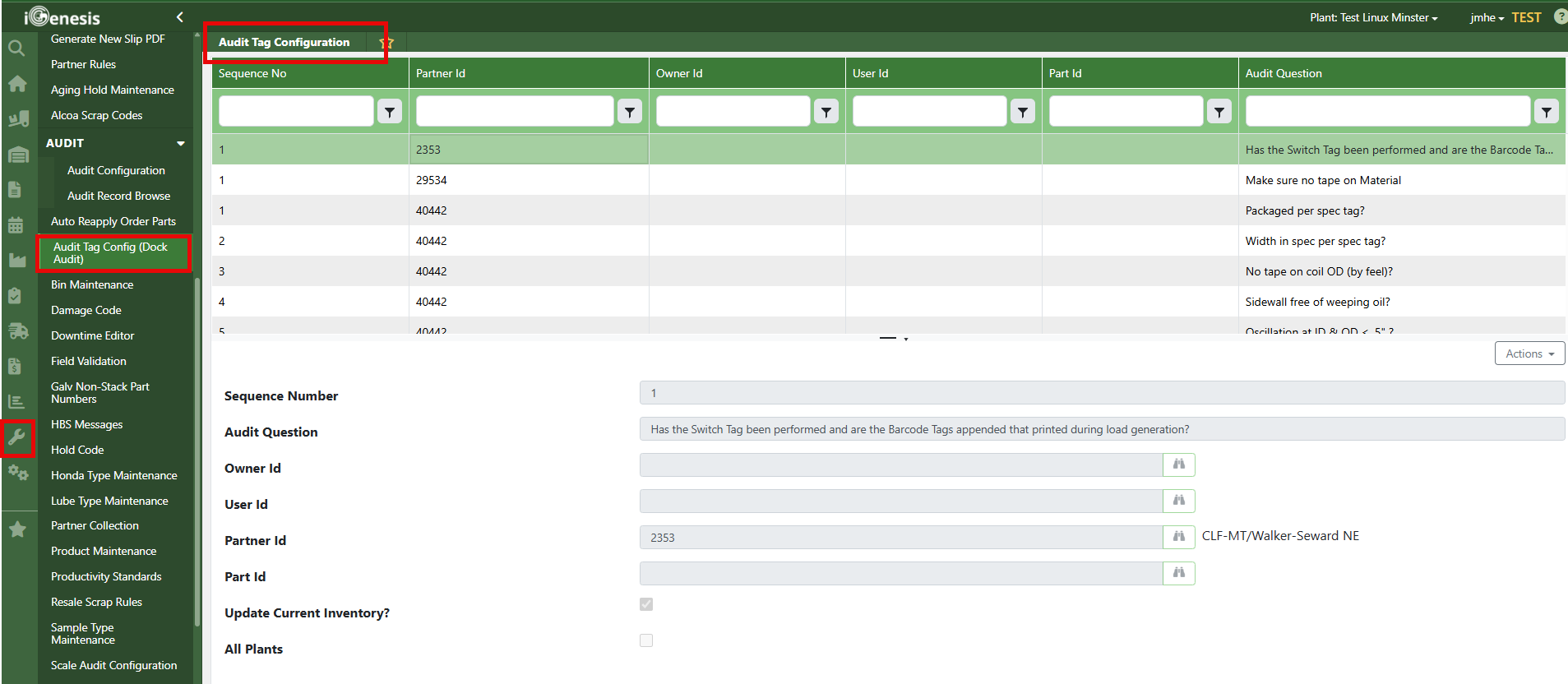
You may want to set up a dock audit tag for that partner requesting that the new reprinted tags and barcode tags must be on the package before shipping. They still may just perform the dock audit and still not be required to attach the Barcode Tags.
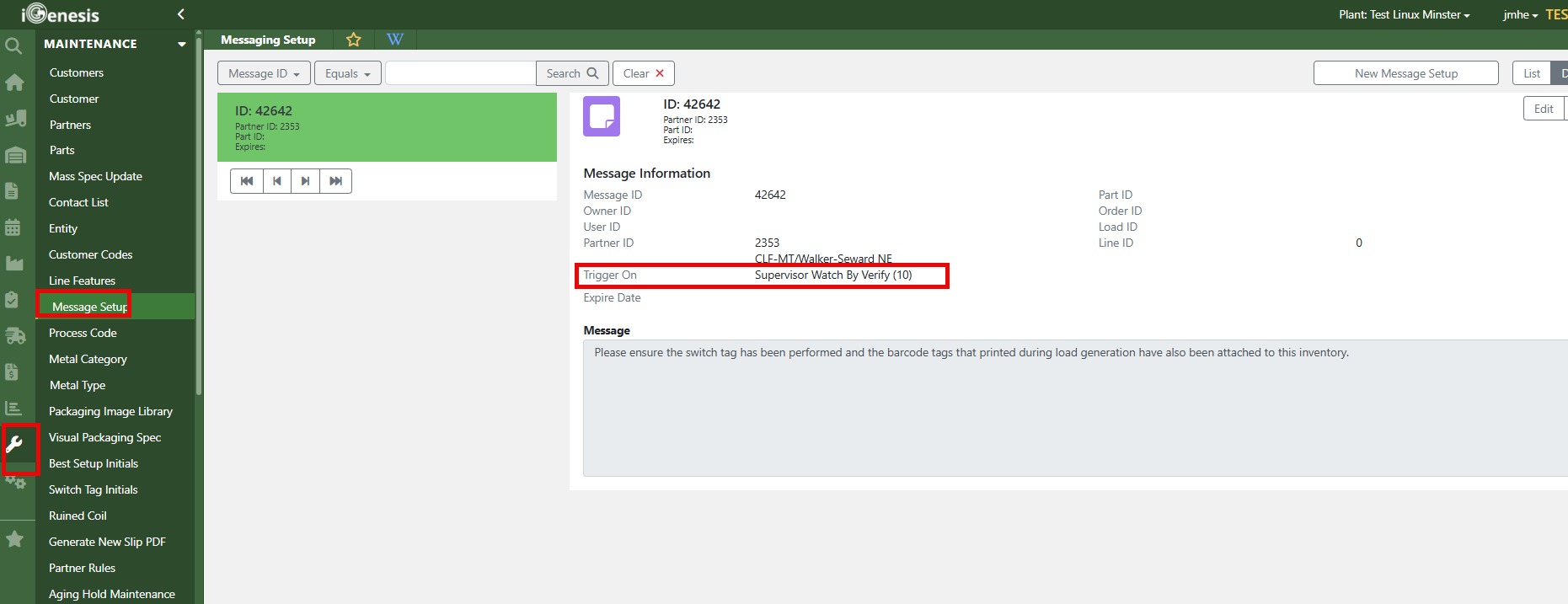
In addition, do a Message Setup for the partner to trigger on Supervisor Watch By Verify to require a Supervisor Override to ensure the switch tag was performed and the barcode tags were appended when they printed when the load was generated.