Sample tracking for tracking the shipment of samples to the mill.
Once you take sample on the line, it creates a Sample ID and puts it into READY TO SHIP Status

You select how the samples are being sent and the location they are being sent
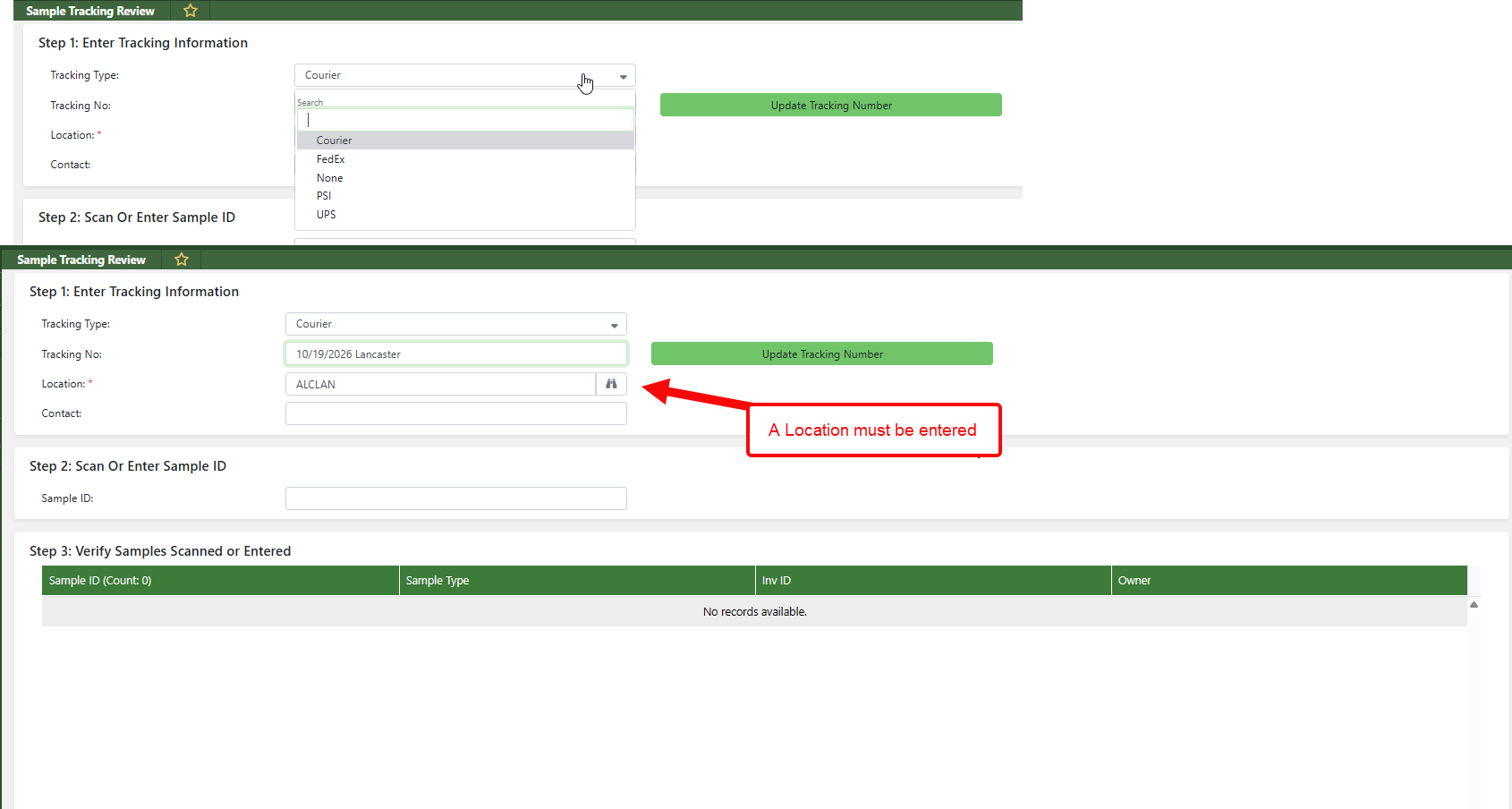
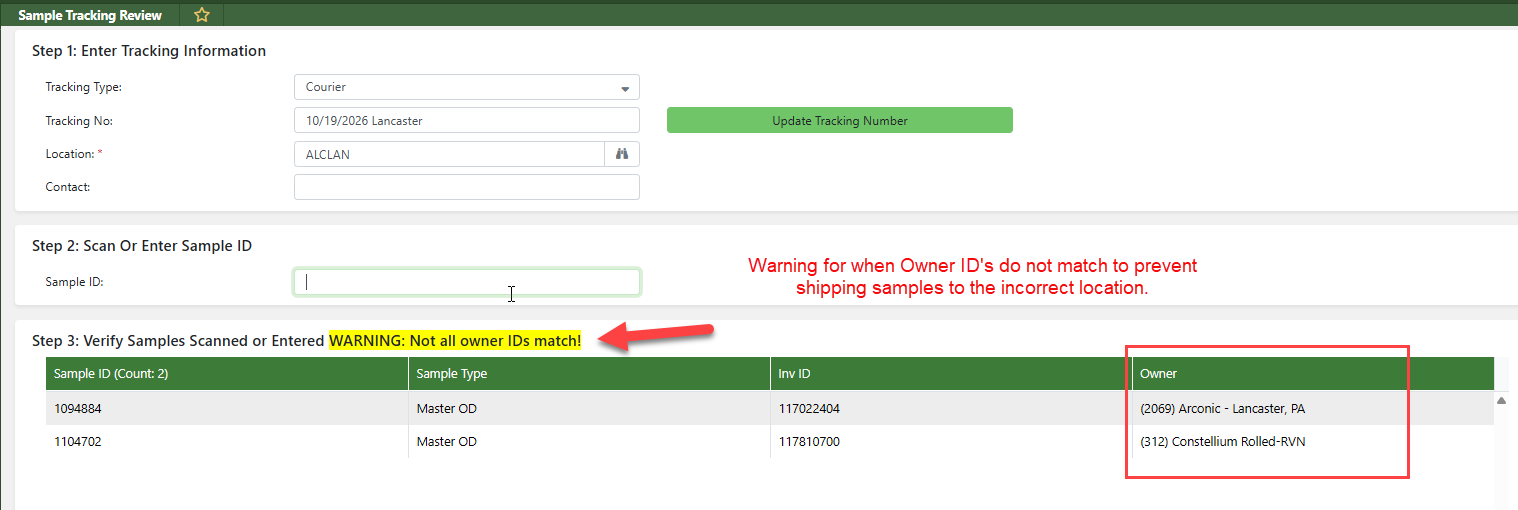
There are built in checks to make sure you are scanning the samples from the Same Mill
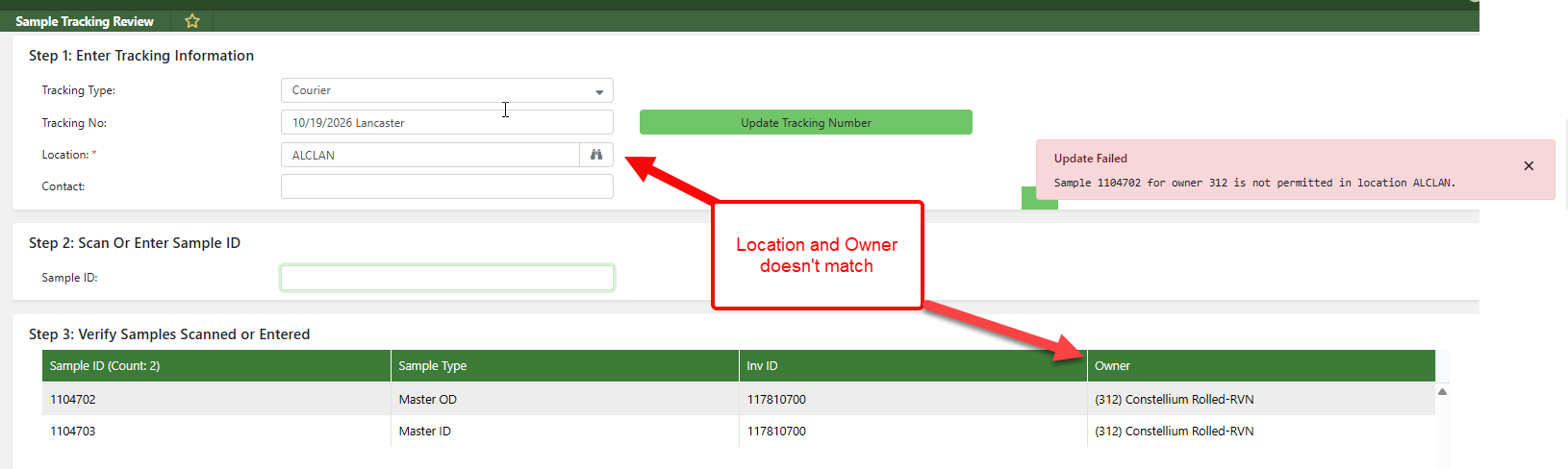
Then there is another check to make sure that the Owner on the samples match the Location selected. This is managed in Choice Field 85 Sample Destinations
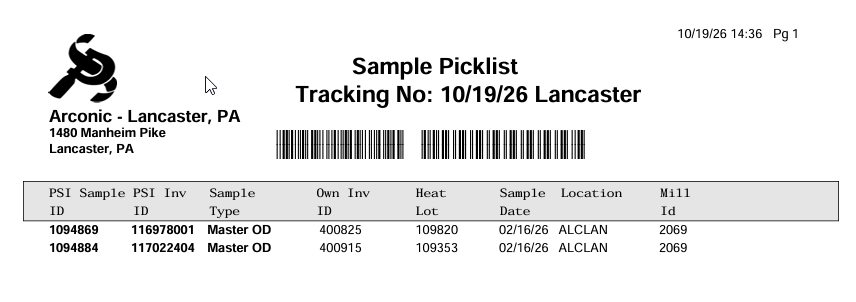
When everything matches and you select done, it creates a Sample Picklist
See Freshdesk Ticket # 84334 https://precision-strip.freshdesk.com/a/tickets/84334
Was this article helpful?
That’s Great!
Thank you for your feedback
Sorry! We couldn't be helpful
Thank you for your feedback
Feedback sent
We appreciate your effort and will try to fix the article