CHECK IN RULES, CHECK IN SCENARIOS. CHECK IN SHEETS, CHECK IN EZ PASSES
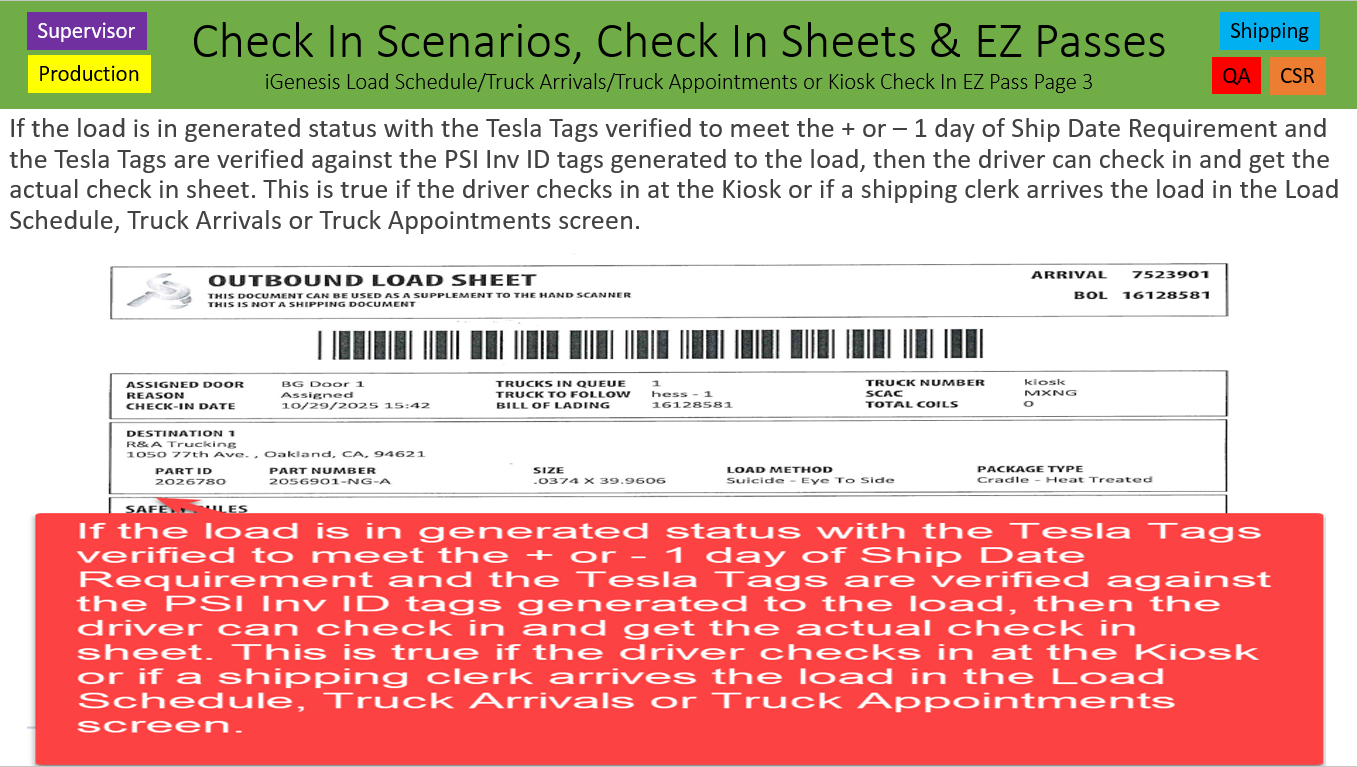
Rules at Check In: Kiosk, Load Schedule, Truck Arrivals & Truck Appointments screens create an EZ Pass Check In Sheet. If not fixed before Load Verification Process, it will be a refusal when trying to verify.
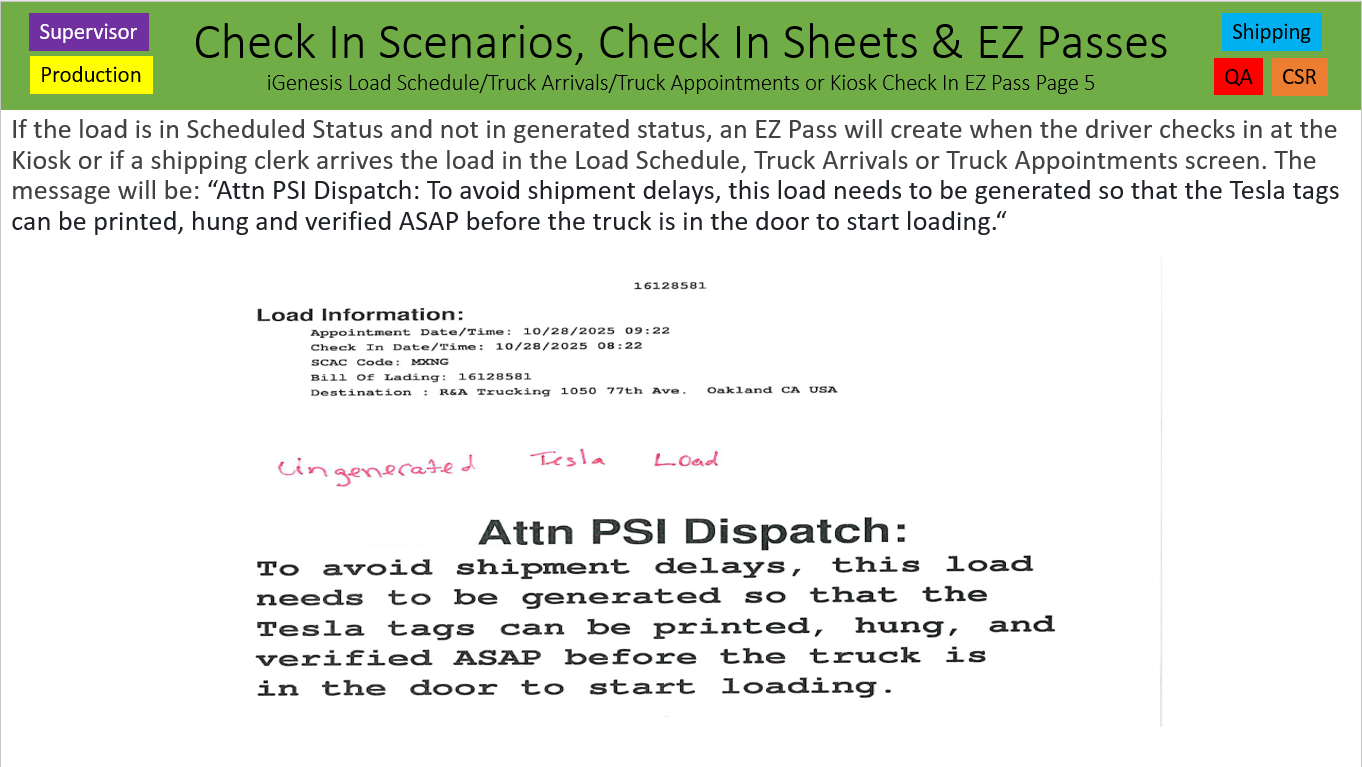
1. If the load is in Scheduled Status and not in generated status, an EZ Pass will create when the driver checks in with a message: "To avoid shipment delays, this load needs to be generated so that the Tesla tags can be printed, hung and verified ASAP before the truck is in the door to start loading.“
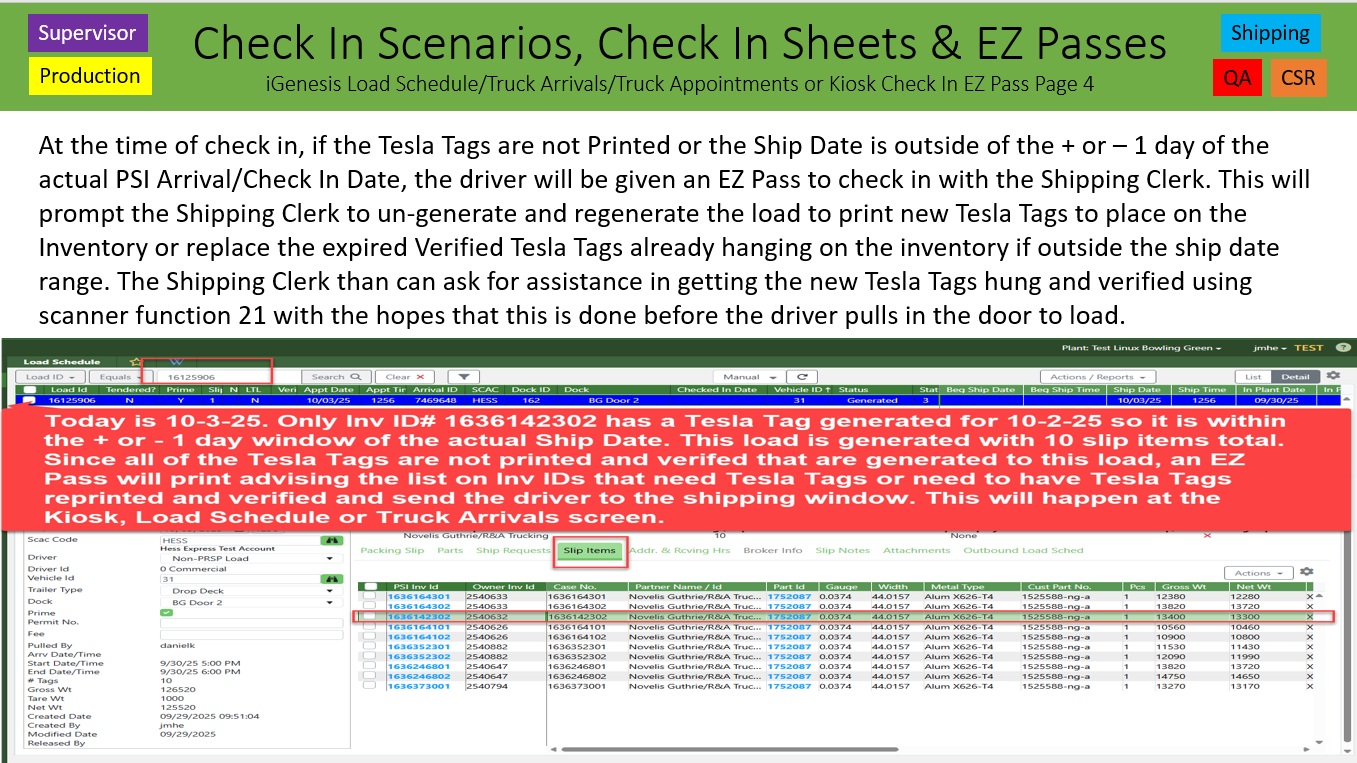
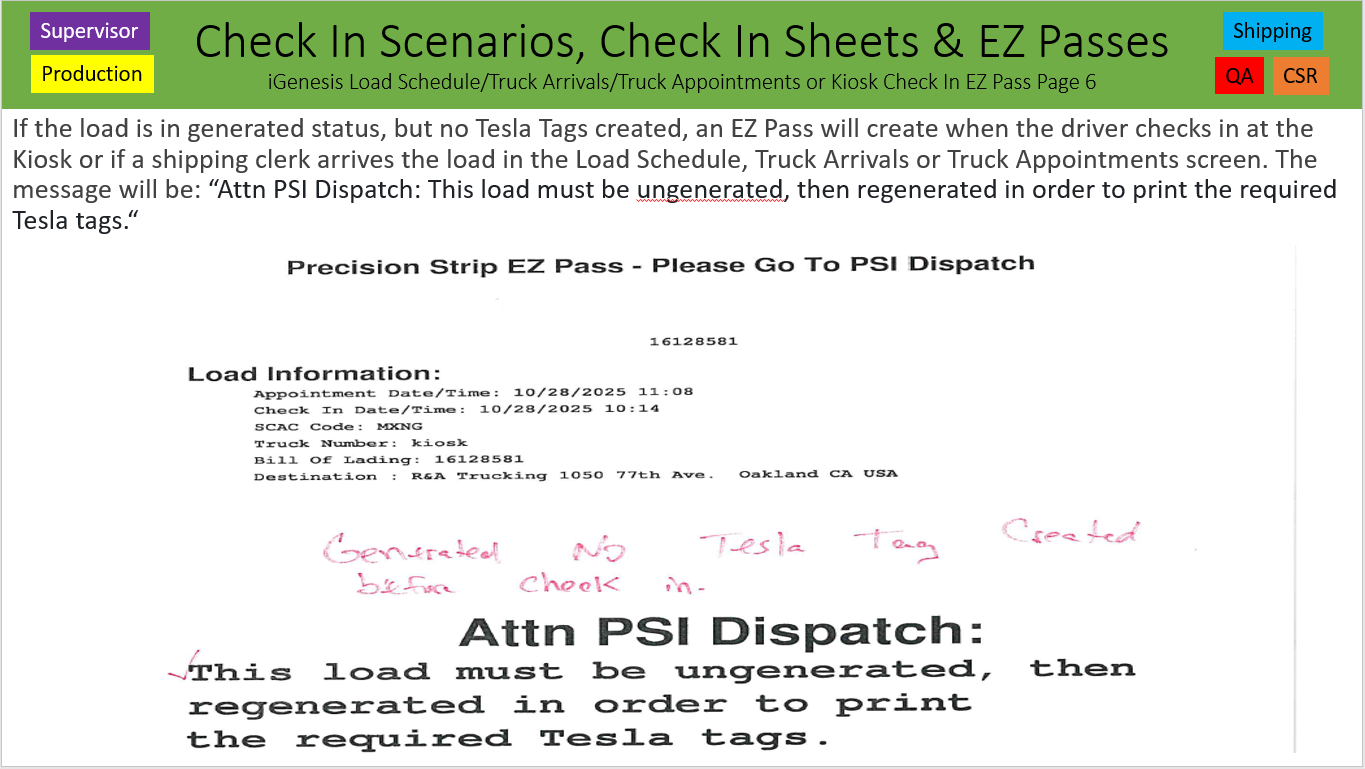
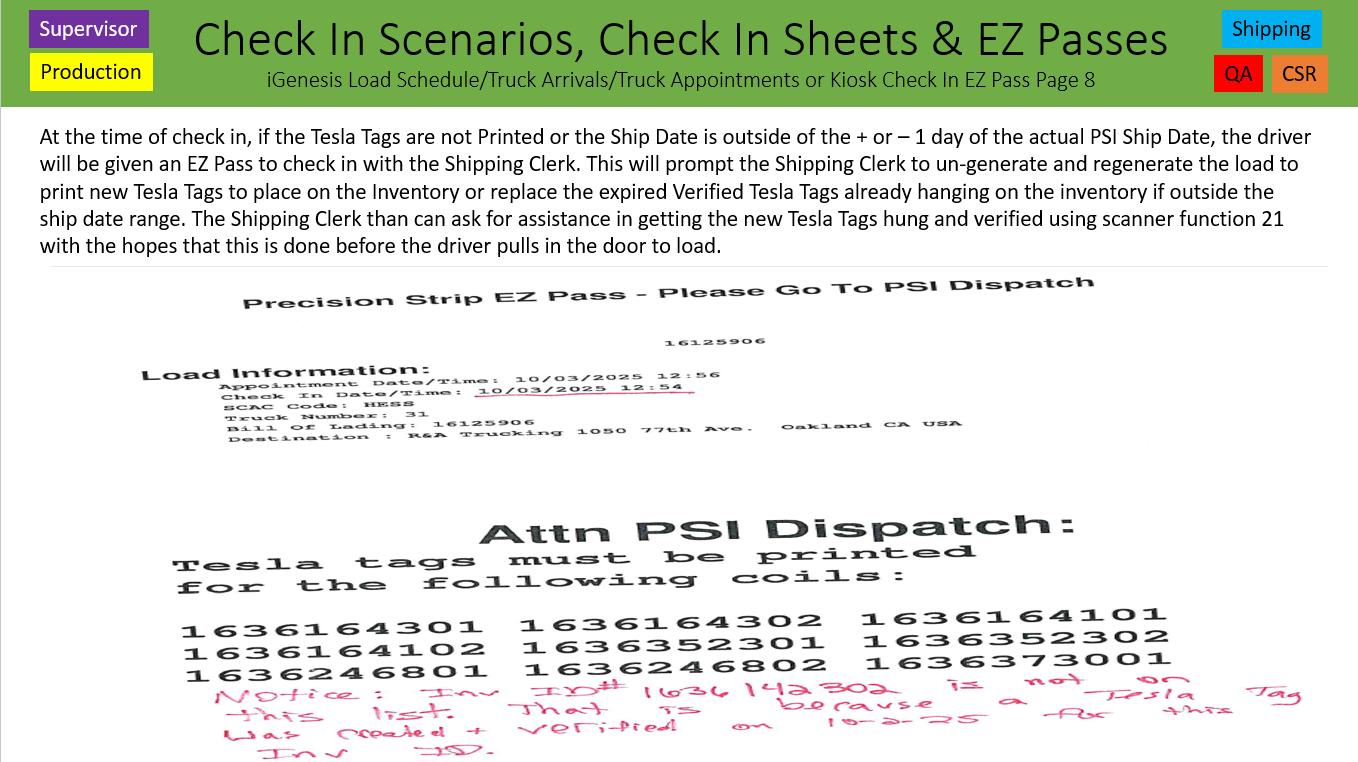
2. An EZ Pass will need created for a Generated Load; but no Tesla Tags Printed.
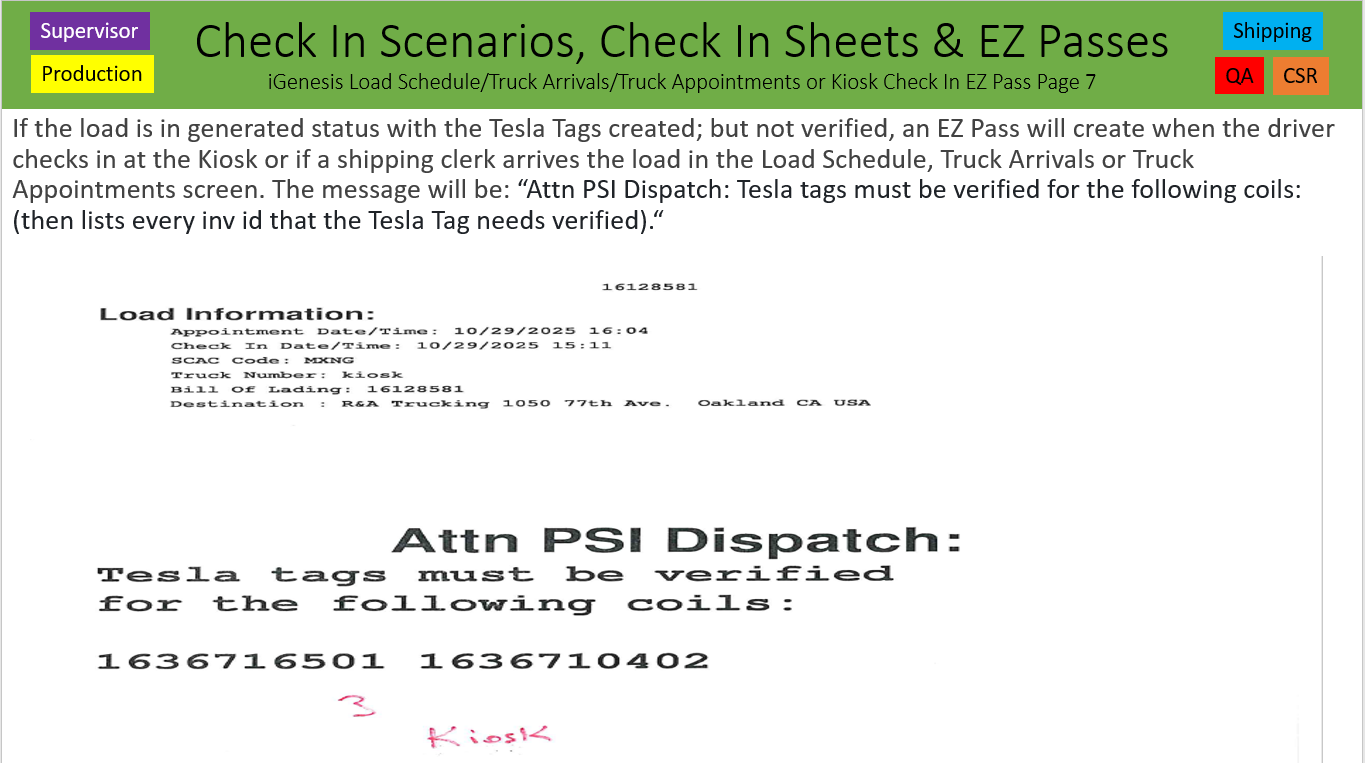
3. An EZ Pass will need created for a Generated Load with the Tesla Tags printed; but not verified.
4. An EZ Pass will need created for a Generated Load with Tesla Tags Printed and Verified; but the Ship Date on the Tesla Tags is outside the + or – 1 day range of the Check In/Arrival Date.
5. An EZ Pass will need created for a Load that has Tesla Tags not matching the Load ID on the Tesla Tag.
6. These Quality Checks happen every time a load is arrived or checked in or the Check In is Reset and Checked Back in.
- The EZ Pass will display the exact reason why it prints for each of the scenarios above when checking in *
Githubs: 10316, 10800, 10804, 10874, 11053, 11113, 11117 & 11118 – Daniel King - Release 8.2.15 – November 12, 2025
Was this article helpful?
That’s Great!
Thank you for your feedback
Sorry! We couldn't be helpful
Thank you for your feedback
Feedback sent
We appreciate your effort and will try to fix the article